

How do I check if my code cards are valid?
Method 1: Verifying codes using the Pokémon Trading Card Online game client
Launch the Pokémon Trading Card Online game and log in to your account.
Click the 'Shop and Redeem' logo near the top center of the screen. The logo should look like a shopping cart.
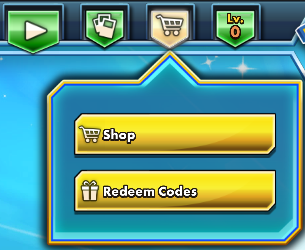
Click the 'Redeem Codes' button to enter the Redeem Codes home screen.
You can enter codes using the options on the left side of the screen.
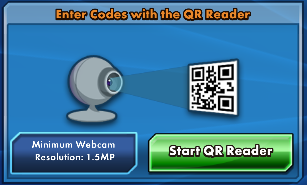
If you have a compatible webcam, you can use the QR Reader option to scan the QR code located on the code card.
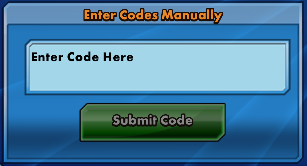
You can also enter codes manually by typing the code and hitting submit code.
Each valid code entered will be displayed on the right side of the screen with the contents of the code card. The code will only be redeemed by clicking the Claim Now button.
Method 2: Verifying codes using an internet browser
Open an internet browser and navigate to https://www.pokemon.com/us/pokemon-trainer-club/enter-codes and make sure to log in to your Pokémon trainer account.
If asked, complete the captcha to continue.
Enter the code you wish to verify and hit Submit Code.
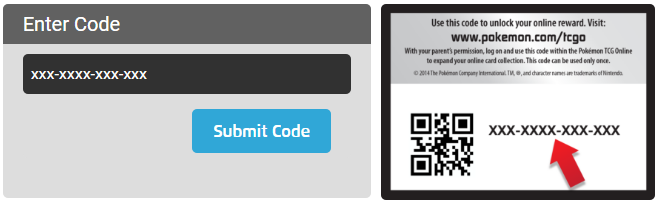
If the code is valid, it will display the contents of the code in the Claim Your Rewards section.
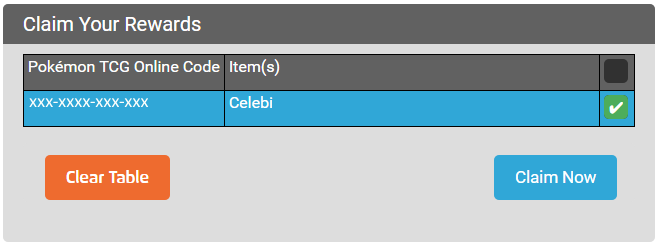
If you wish to redeem the code to the current account logged in, you can do so by placing a check mark by the code and hit Claim Now. Codes will not be redeemed until you hit Claim Now.
---------
If you experience any code redemption issues, please submit a ticket via our support center by logging in to support.pokemon.com with your Trainer Club account. Please note that codes obtained from sources outside of the official Pokémon website may be referred to the originating website for further troubleshooting with purchases.
Please retain your code cards and transaction ID numbers for future reference.
Your code cards and transaction ID numbers are vital to servicing any code redemption issue. Without this information we may not be able to fully address your issue, and your claim may be dismissed.
Basic information to provide when submitting a code redemption issue support request:
Username of account code was redeemed to
Code # and item type
Can’t find what you’re looking for? Click here to submit a service request form.