

Log in to your Pokémon Trainer Club account, which will take you to your Edit Profile page.
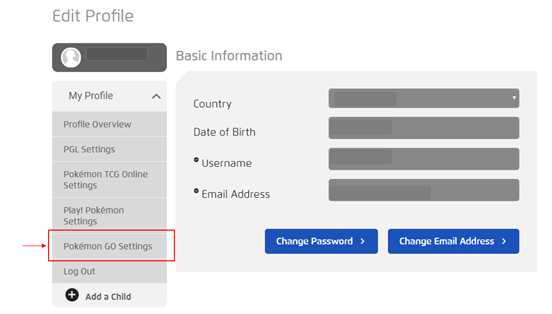
To opt in for Pokémon GO (Organized Play):
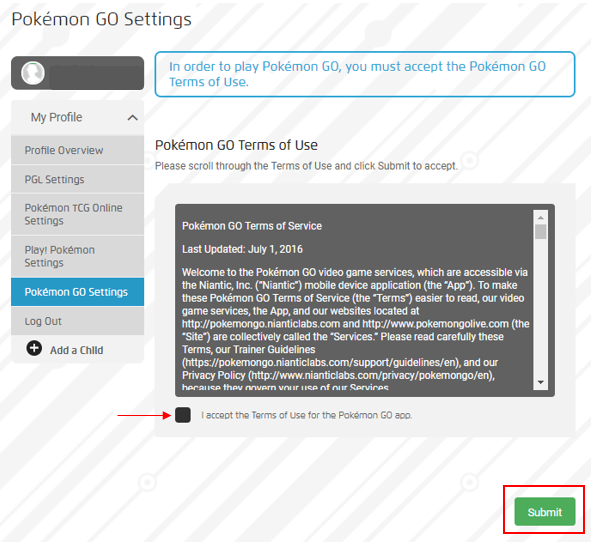
Select Pokémon GO Settings on the left-hand side, read the Pokémon GO Terms of Use, check the box beside I accept the Terms of Use for the Pokémon GO app, and then click Submit.
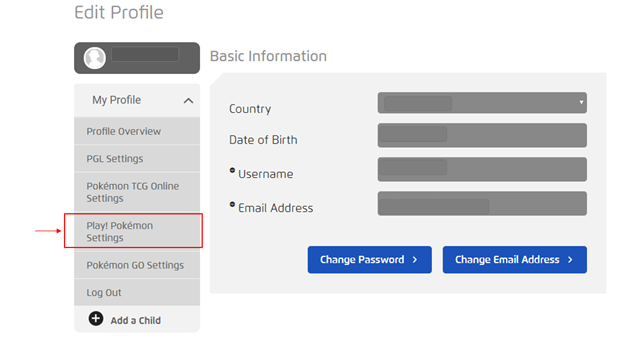
To opt in for Play! Pokémon:
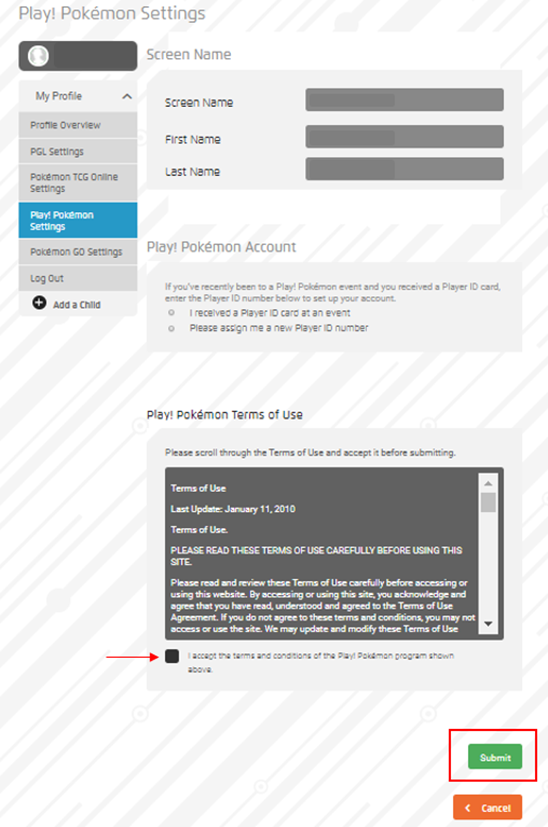
Select Play! Pokémon Settings on the left-hand side, verify your Screen Name information, select the appropriate radio button for your Play! Pokémon Account, read the Play! Pokémon Terms of Use, check the box beside I accept the terms and conditions of the Play! Pokémon program shown above, and then click Submit.
Can’t find what you’re looking for? Click here to submit a service request form.